What Is Pin2Profit AI? How It Builds Pinterest Campaigns
Disclosure: this article contains an affiliate link. If you buy through it, we may earn a commission.
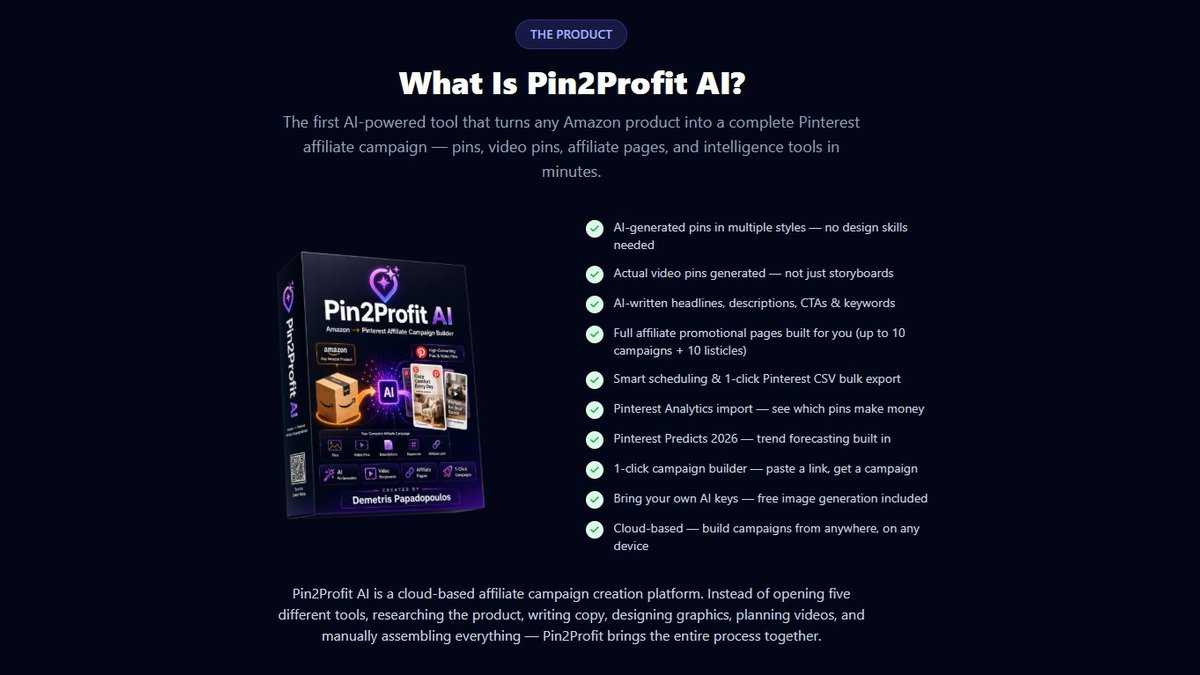
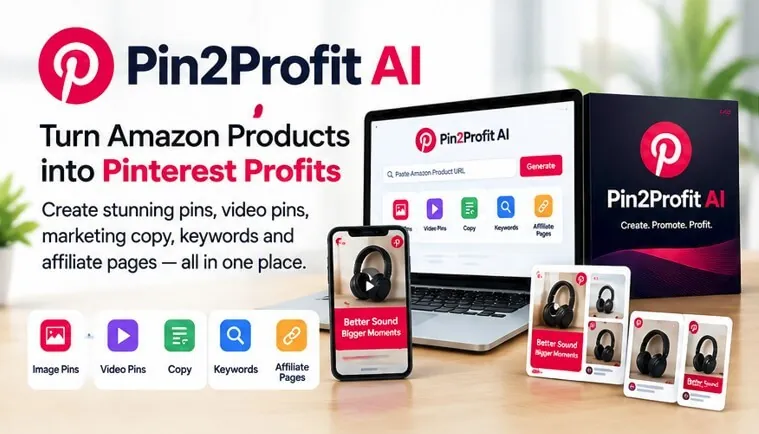
Pin2Profit AI is a tool that turns an Amazon product into a complete Pinterest affiliate campaign — video pins, written copy, keywords, and affiliate pages — without you building each piece by hand. It’s made for Amazon Associates who want free Pinterest traffic, and it works from the product link you already have.
Pinterest has 631 million people searching for things to buy. Pin2profit answers one simple question: how many of them found your Amazon links today? If the honest answer is none, the gap isn’t your products. It’s that you never built the pins.
The work it removes is the part most people quit on. One product becomes several pins, each with its own title, description, and keyword set, plus a landing page holding your affiliate link.
You paste a product URL and get the campaign back. There’s no separate design app, no keyword spreadsheet, and no writing descriptions one at a time.
Run it on one product first. If that pin set brings clicks, scale to your next ten. If it brings none, the problem is your product choice or your niche, not your pin volume — and more pins won’t fix it.
What Is Pin2Profit AI?

It’s an AI campaign builder for Amazon affiliates who use Pinterest as their traffic source. You give it an Amazon product, and it produces the pieces a Pinterest campaign needs: pins, actual video pins based on the products you choose, copy, keywords, and affiliate pages.
The important word there is “campaign,” not “pin.” Most people treat Pinterest as a place to drop one image and hope. A campaign means the pin, the video, the description, the keywords, and the page the pin points to all work together. Pin2Profit AI builds that set for you instead of leaving you to assemble it piece by piece.
It’s built specifically for Amazon Associates. That matters, because Amazon’s affiliate program has its own rules about how you share links, and the tool is aimed at people already inside that program rather than general Pinterest marketers.
Where it fits depends on what you already have. If you’re starting from zero and have never built a pin, the value is obvious: you get a finished set instead of a pin you’d have to design yourself. If you already run Pinterest traffic, the honest test is narrower.
Take one product you’ve promoted before, run it through, and compare the output against what you published. If the keywords and page copy are things you wouldn’t have written, it’s earning its place. If they’re what you’d have done anyway, you’ve learned that too, and it cost you one product instead of a subscription you’d forget to cancel.
The Jobs It Handles for You
Think about what actually goes into one Pinterest affiliate campaign. You need a product image or video, a title, a description with keywords people search, a destination page, and a reason for someone to click. Multiply that by every product you want to promote, and the manual work adds up fast.
Pin2Profit AI takes that list and does it from one starting point: the Amazon product. Here’s what each piece means in real use.
Turning one product into pins and video pins
You pick a product, and the tool produces pins for it — including actual video pins built around the products you choose. Video pins matter on Pinterest because they hold attention longer than a still image, and Pinterest’s own format favors them in feeds. That’s the Pinterest business guidance on what performs, and it’s why a tool that generates video matters more than one that only makes static images.
For someone promoting a physical product, this is the difference between “I have a photo” and “I have something that moves.”
Writing the copy and keywords
Every pin needs words: a title, a description, and the keywords that decide whether anyone sees it. The tool writes that copy and supplies keywords from the same product input.
This is the part most affiliates skip or rush. A pin with no keyword thinking goes nowhere, no matter how good the image looks. Having the copy and keywords generated alongside the pin means you’re not publishing half a campaign.
Building the affiliate pages
Pins need somewhere to send people. Pin2Profit AI creates affiliate pages, so the destination exists as part of the same build rather than as a separate job you do later.
That’s the piece that turns a nice-looking pin into a link that can earn. A pin with no working destination is just decoration.
Who Gets the Most From It
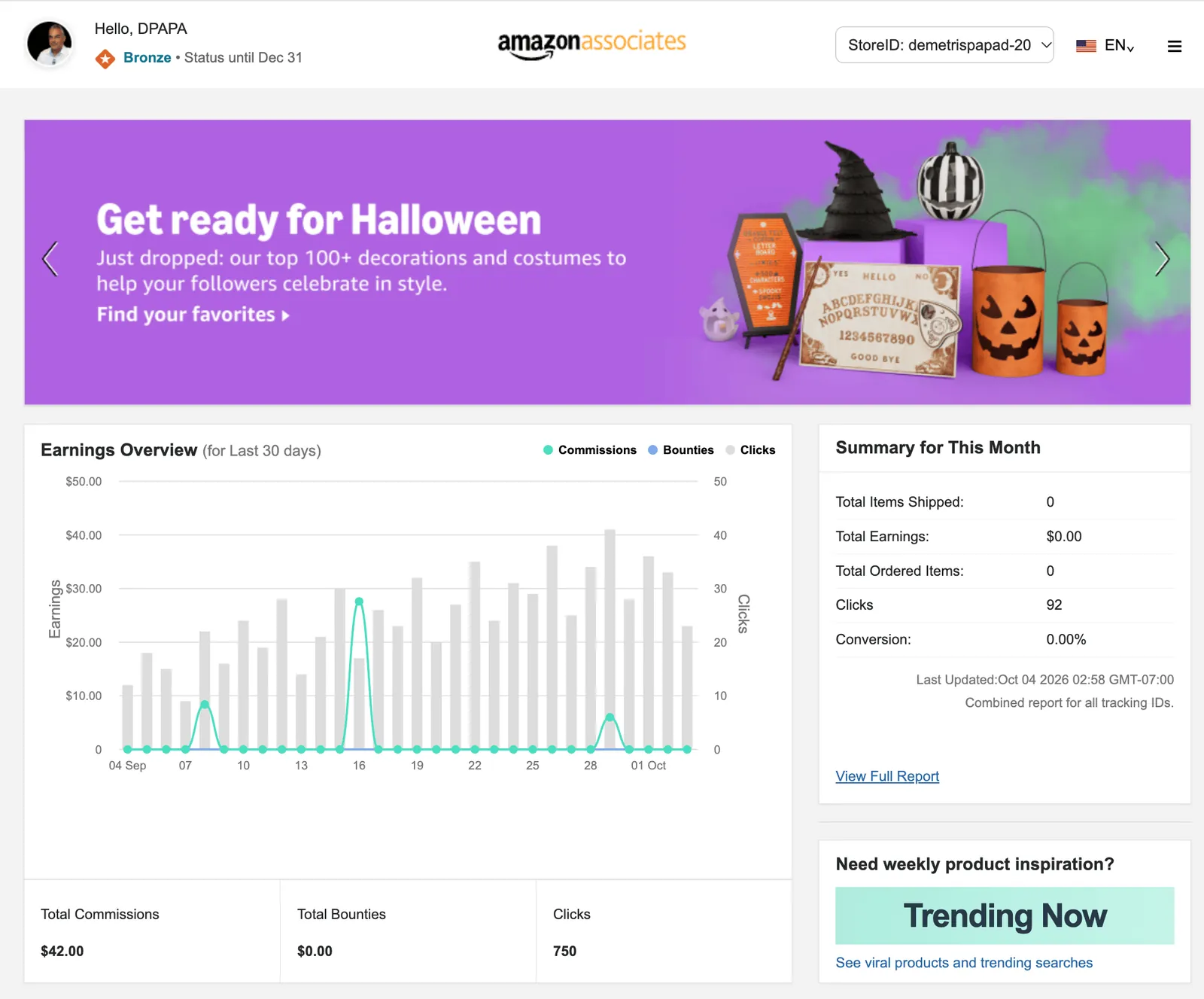
The tool fits a specific person: an Amazon Associate who wants Pinterest traffic but doesn’t want to spend hours per product on design, writing, and page setup.
If you already promote a handful of Amazon products and you’re comfortable with Pinterest as a platform, this removes the manual grind between you and a live campaign. If you’ve never set up an Amazon Associates account or you don’t plan to use Pinterest at all, the tool doesn’t solve a problem you have — start with the affiliate program and the platform first.
The trade-off is worth naming. You give up some control over every word and every frame, because the tool generates them. In exchange, you get a finished campaign in the time it would take you to design one pin by hand.
If you enjoy crafting each pin yourself and you only promote two or three products, that trade might not be worth it. If you want many products covered, it usually is.
The place people go wrong is buying in while their account is still pending review. Approval can take a day or several, and a campaign built before it clears has nowhere to point. Wait for the acceptance email, then start.
One more thing decides it: how many products you actually have live. Under five, your own hands are faster. Past ten, the per-product setup time is the whole bottleneck, and automating it’s the difference between a campaign and a to-do list.
What to Check Before You Buy
The facts about Pin2Profit AI describe what it produces, not the terms around it. Before you buy, confirm the things that affect you personally: how you access it after purchase, whether there’s a refund window and how long it lasts, and whether it works with the specific Amazon Associates account you hold.
That last one isn’t a small detail. Amazon’s operating agreement governs how Associates share links and where they can post them, and the rules differ by country and change over time. The place that settles it for you is your own Associates dashboard and the current agreement attached to your account — not a general guide, and not this page.
Also confirm how the tool handles your own Pinterest account. Pinterest has its own rules about affiliate links and disclosure, and those apply to whatever you publish, regardless of what generated it.
Tip: Read the current Amazon Associates operating agreement for your country before you publish anything. The disclosure and linking rules are yours to follow, not the tool’s.
Where People Go Wrong With Pinterest Affiliate Campaigns
Why do my pins get views but no clicks?
Views without clicks usually mean the pin doesn’t match what the person searched. If your keywords describe a category and your pin shows one specific product, the mismatch kills the click. Generate the copy and keywords from the same product the pin shows, so the two agree.
Why does my affiliate page get traffic but no sales?
Traffic with no sales often means the page doesn’t continue the promise the pin made. If the pin shows a product in use and the page is a wall of text, people leave. Keep the page focused on the same product the pin showed.
Why did my Amazon links stop earning?
Amazon Associates links can stop earning when the account falls outside the program’s terms — for example, links posted where the agreement doesn’t allow them. Check your account’s standing and the current rules before assuming the tool failed.
Why do my campaigns take so long to build?
Manual campaigns are slow because you’re doing five jobs per product: image, video, copy, keywords, page. If speed is the problem, the fix is reducing the number of separate steps per product, not working faster on each one.
Frequently Asked Questions
Do I need an Amazon Associates account to use Pin2Profit AI?
Yes. The tool is built for Amazon Associates, so you need an active account in that program to earn from the links it helps you create. Confirm your account is in good standing, since the program’s rules govern how and where you can share links.
Do I need a Pinterest business account?
You need a Pinterest account to publish pins, and a business account gives you the analytics that show which pins actually drive clicks. The tool generates the campaign; you still publish it from your own Pinterest account under your own login.
Can I use it for products outside Amazon?
The facts describe it as an Amazon affiliate tool that works from Amazon products. If your products come from another retailer or your own store, treat that as something to confirm with the seller before buying, since it sits outside what the tool is described as doing.
Does it post the pins to Pinterest for me?
The facts say it creates pins, video pins, copy, keywords, and affiliate pages. They don’t describe automatic publishing to your Pinterest account. Confirm the publishing step with the seller so you know exactly what you’re doing yourself.
Is it a replacement for learning Pinterest?
No. It removes the production work — the design, the writing, the page building — but the strategy still belongs to you: which products to promote, which boards to use, and how often to publish. Treat it as a production shortcut, not a strategy.
What should I confirm before buying?
Check the access terms, the refund window, and whether it fits your Amazon Associates account and country. Those details change and aren’t covered in the product description, so the seller’s own checkout page is the place to verify them.
A Calm Recommendation
If you’re an Amazon Associate who wants Pinterest traffic and you’re tired of building every pin, video, and page by hand, Pin2Profit AI is worth a look — it’s built for exactly that job.
Start with one product you already know sells, build the campaign, and see how it performs before adding more.
Pick the product you would recommend to a friend without hesitating. If you have sold it before, you already know the objections, the returns, and the season it peaks in, and the pins write themselves around that.
If nothing has sold yet, run the tool on a single category instead and watch which pins get saves in the first week. Saves without clicks mean the image works and the offer doesn’t.
The mistake is loading twenty products on day one. You can’t tell which pin failed and which product did, and you quit before either answer arrives.