Who Is Home Service Agency Studio For? Our Expert Breakdown
Disclosure: this article contains an affiliate link. If you buy through it, we may earn a commission.
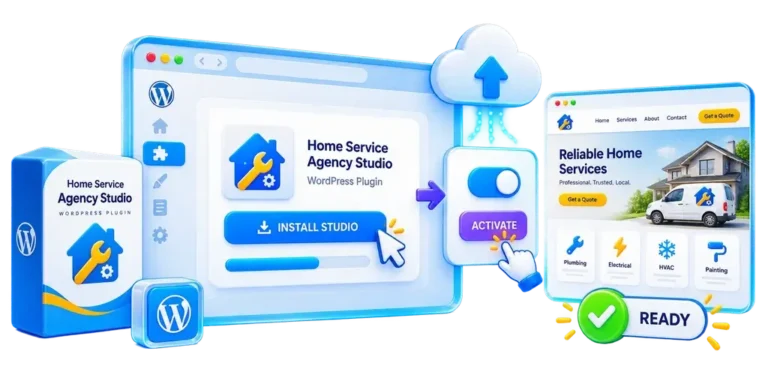
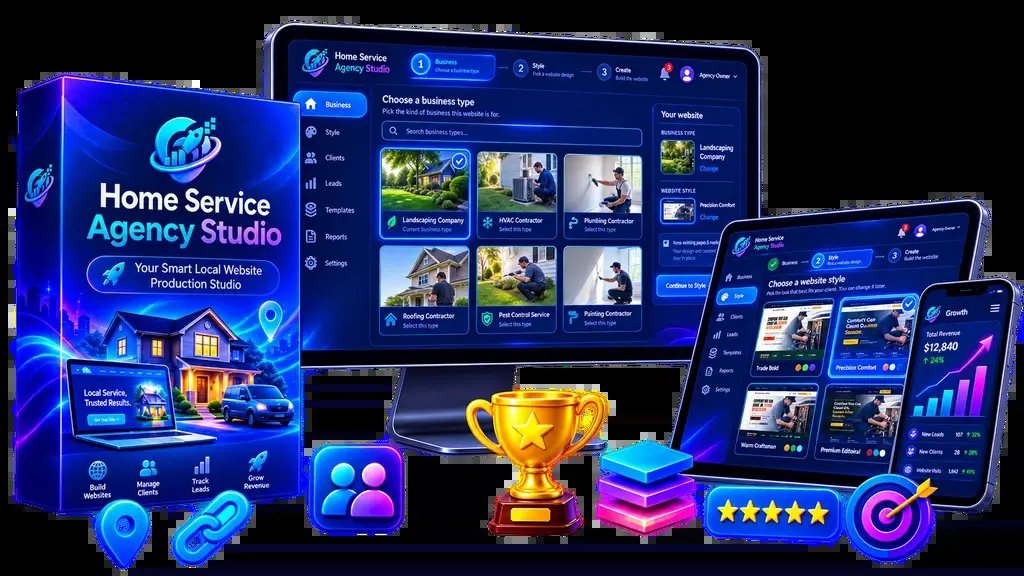
Home service agency studio is built for local marketers, freelance designers, marketing consultants, and small agencies that sell web design to local trade contractors. If you build sites for plumbers, roofers, or electricians, this WordPress-based toolkit lets you show personalized mockups and deliver finished client assets without writing code or building layouts from scratch.
Who Home Service Agency Studio Helps Most
Local service businesses need websites that look modern on phones, show their phone numbers clearly, and list their trade services plainly. Yet, many local contractors still run outdated sites or have no web presence at all. Marketing freelancers struggle to sell to contractors because custom sites take too long to be profitable.
Home Service Agency Studio solves this exact bottleneck for specific groups of web professionals:
- Local business marketers: Marketers who already manage local search listings or run local ads can add complete web design to their service menu without hiring outside developers.
- Solo freelancers: Independent web creators can deliver finished projects in hours rather than weeks, keeping their project margins healthy without working late nights.
- Marketing consultants: Business advisors who guide trade contractors can provide turnkey online assets as part of a wider growth plan.
- Boutique digital agencies: Growing agency teams can delegate setup tasks to junior staff using structured layouts instead of tying up senior designers.
If you don’t already sell digital services or don’t plan to approach home service trades, this toolkit won’t fit your business model.
Core Features and Everyday Jobs
The system handles design, content, and client delivery within WordPress. The system packages design styles, written content, demo tools, and client transfer functions into a WordPress environment.
Setting Up Industry-Specific Sites Fast
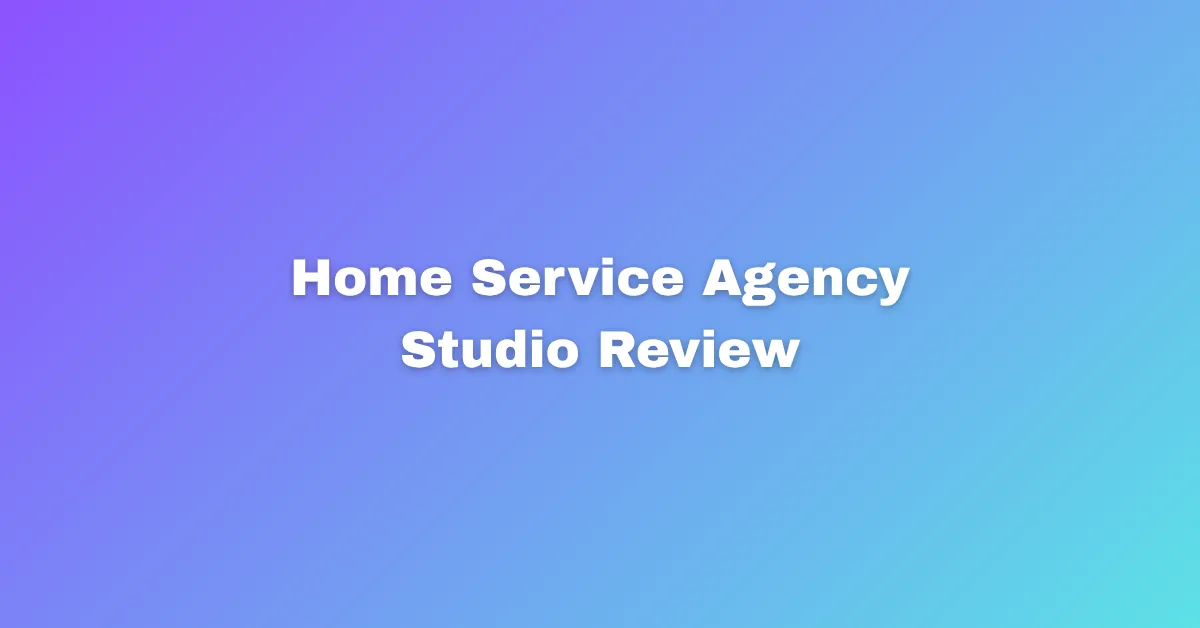
The platform includes 10 niche packs covering common home repair and maintenance trades. Building a roofing site requires different text, headings, and imagery than an air conditioning repair site. You start with structural text and layouts matched to the contractor’s work.
You combine these niche packs with 7 professional styles. This ensures contractors in the same area have unique designs. Adjust layouts for any trade, from remodelers to cleaners.
Pitching Local Business Owners with Personalized Demos
Closing deals is difficult with generic templates. Owners want to see their own branding before paying.
The system builds personalized prospect demos. Enter company details to generate a branded preview site.
Tip: Create a personalized demo showing the contractor’s real business name and phone number before your sales call so they can see the finished result on their own phone.
Handing Over Sites with Commercial Client Delivery
Once a contractor approves the preview, you must transfer the website to their ownership or install it on their chosen hosting server. Manual transfers often involve complex database and file path migrations.
Home Service Agency Studio includes built-in commercial client delivery functions. This feature packages the completed WordPress site so you can hand it over cleanly to paying clients. Because the system includes commercial rights, you keep the full fee you charge your client for the build.
How It Compares to Other Web Design Methods
Deciding how to produce client websites depends on your technical skill, your budget, and how many sites you need to launch each month.
| Production Method | Setup Speed | Technical Coding Required | Content Preparation | Built-in Demo Pitch Tool |
|---|---|---|---|---|
| Home Service Agency Studio | Under 2 hours | No coding needed | Included for 10 trades | Yes, guided personalization |
| Blank WordPress Theme | 2 to 4 days | Basic code knowledge helpful | You write or buy text | No, requires manual staging |
| SaaS Website Builders | 1 to 2 days | None | You write or buy text | No, requires shared logins |
| Custom Agency Development | 2 to 4 weeks | Advanced code required | Custom copywriting needed | No, manual mockup design |
If your primary goal is rapid client turnaround in the home service sector, standardizing your builds on pre-built trade frameworks prevents common project delays.
Who Should Avoid This System?
This product isn’t suitable for every online business owner.
First, this platform isn’t for retail businesses or e-commerce brands. If a client needs product inventories, shipping calculators, shopping carts, and complex payment gateways, this platform isn’t designed for those tasks. It’s meant for local service providers whose primary goal is getting phone calls and lead form submissions.
Second, it won’t suit web designers who prefer writing custom CSS code from scratch or building experimental design layouts. The system is designed around standard styles to maximize delivery speed. If you view web design as an art form rather than a client turnaround process, you’ll feel restricted by the guided structure.
Finally, business owners trying to build a single website for their own plumbing or roofing business may find it unnecessary. While the templates work for local trades, the platform’s primary value comes from selling sites repeatedly to multiple clients through commercial licenses and demo tools.
Is It Safe to Run on Standard WordPress Hosting?

Yes, the system runs safely on standard commercial WordPress web hosting without demanding expensive private servers. Because WordPress powers over 40% of websites, almost all standard hosts provide one-click installations and automatic database management.
- Client site ownership: Your clients aren’t locked into an unfamiliar monthly hosting platform. You can install their completed site on their existing hosting account or set them up on your own agency reseller servers.
- No hidden code lock-ins: Because it operates within WordPress, standard site backup tools, security plugins, and search engine optimization plugins operate normally.
- Low operating overhead: You don’t need dedicated agency servers to run client preview demos. Standard shared or entry-level cloud hosting accounts handle these sites without performance drops.
If you don’t know how to run a basic WordPress installation, you’ll need to learn the platform’s basic administrative menu before launching client projects.
Common Setups and Client Problems
When setting up client websites for trade businesses, certain practical snags can occur. Knowing what to do ahead of time keeps your client projects moving forward.
What if the Client’s Specific Trade Isn’t in the 10 Packs?
For specialized trades, pick the pre-built pack with the most similar business model, such as roofing or plumbing. Use the guided setup to apply their company name and phone number, then adjust the service page titles to match their specialized trade. The visual styles remain fully functional regardless of the specific service titles you display.
What if a Prospect Asks for Complex Online Bookings?
Many local contractors say they want online scheduling, but in practice, they prefer their phones to ring directly so they can quote jobs accurately based on distance and job size. If a client genuinely requires advanced job-dispatch calendars, add a third-party booking plugin to the WordPress dashboard after delivering the core site.
What if a Contractor Takes Too Long to Send Photos?
Tradesmen are busy and often take weeks to send photos of their work. Launch the site using the professional imagery supplied within the niche packs. Once the client takes new photos on the job site, you can swap them into the existing media slots during normal site maintenance.
Tip: If a client doesn’t send their logo immediately, use a clean text-based company name in the site header to launch the site on schedule.
Deciding Between Custom Coding and Pre-Built Agency Studios
The choice between building sites from scratch and using a pre-configured studio comes down to client budget and delivery speed.
If you already have prospective clients asking for website help, checking out Home Service Agency Studio gives you a structured way to launch those sites quickly while keeping your design process manageable.
Related guides
Frequently Asked Questions
Does the system require coding skills?
No, the system requires no coding or design experience. It uses pre-built styles and guided setup menus to generate websites. You can select your visual preferences, enter client details, and publish the pages directly through standard WordPress dashboard controls without editing code files.
Which business trades are included in the packs?
The system includes 10 niche packs designed for common home repair and service contractors. These packs supply targeted layouts and text structures for trade businesses like plumbing, electrical work, and roofing, allowing you to launch relevant client sites without writing industry content from scratch.
Can I sell the websites to private clients?
Yes, the platform includes commercial client delivery rights. This allows you to create sites for local business prospects, customize them with their business information, and transfer full ownership of the finished site to the client while keeping the entire payment fee you charged them.
What platform powers the website templates?
The entire platform is powered by WordPress. This ensures you can host client sites on any standard web hosting provider, use familiar dashboard controls, and extend site capabilities later using standard plugins, without forcing clients onto proprietary or unfamiliar website platforms.
How does the prospect demo feature work?
The prospect demo feature lets you personalize a preview website with a local business’s real company name and contact details. You can show this live mockup to the business owner during your pitch, demonstrating how their finished web presence looks before completing the sale.
This system removes technical delays for agencies selling web design to contractors through structured trade layouts.
Conclusion
You don’t have to spend your weekends wrestling with complex code or messy design files anymore. It’s time to stop reinventing the wheel and start scaling your business with confidence. Grab your free trial today and see how quickly you can get your next professional site live for a happy client.